Monitor CLI Coding Agent Usage Locally

A local dashboard and HTTP API for monitoring usage limits across your AI coding agents—Claude Code, Gemini CLI, and OpenAI Codex—in one unified view.

$ npm install -g agent-tank
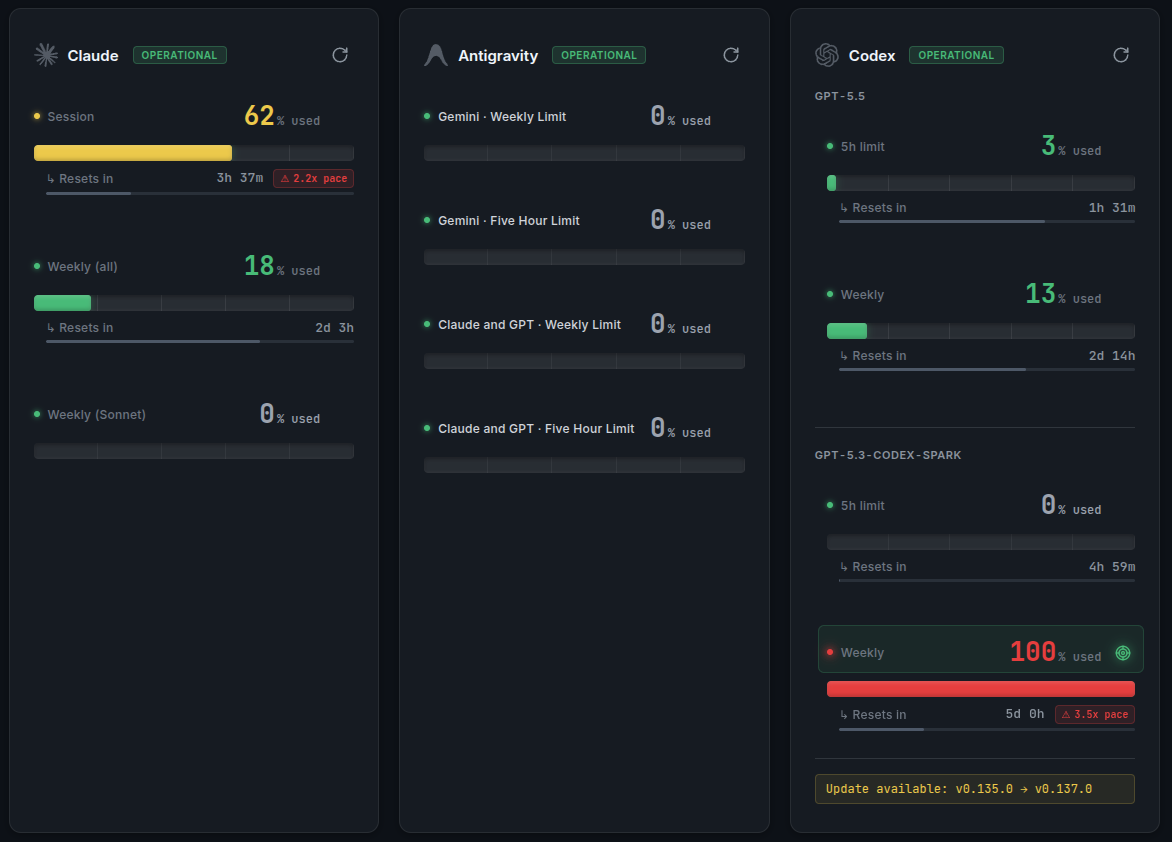
Agent Tank Dashboard
Agent Tank dashboard showing live Claude, Gemini, and Codex usage cards

Up and Running in Seconds

Install it, then just run agent-tank. It auto-discovers your installed CLIs and starts the dashboard plus HTTP API—no config required.

bash
# Install globally (or run with npx agent-tank)$ npm install -g agent-tank # Auto-discover agents and start the web UI + API$ agent-tank   Agent Tank running at http://127.0.0.1:3456  Monitoring: claude · gemini · codex

Auto-discover every installed agent and open the dashboard at 127.0.0.1:3456.

Monitor only specific agents instead of auto-discovering all of them.

Run the web UI and API on a custom port.

Fetch usage once and print JSON—handy for scripts and CI.

Why Agent Tank?

Everything you need to monitor and manage your AI agent usage in one powerful local tool.

Privacy-first

All data stays on your machine. No cloud sync, no telemetry, no tracking. Your usage data is yours alone.

Auto-discovery

Automatically detects running CLI coding agents without manual configuration. Just install and start monitoring.

Unified UI

One dashboard to monitor all your AI agents. Claude, GPT, Gemini, Codex, and more in a single view.

Live Tab Title

The browser tab title and favicon update with the usage of your selected agent—so you can keep an eye on limits at a glance, even from another tab.

HTTP API

Integrate with your existing tools via a simple REST API. Build custom dashboards or automate workflows.

Lightweight

Minimal resource footprint. Runs quietly in the background without impacting your system performance.

How It Works

Agent Tank reads usage directly from the CLI tools you already use. It launches them locally, runs their built-in usage commands, and parses the output—nothing leaves your machine.

1

Launches the CLIs

node-pty

Agent Tank auto-discovers the CLI coding agents you already have installed and launches them locally in a pseudo-terminal—no browser sessions, cookies, or scraping involved.

2

Runs usage commands

/usage · /stats · rateLimits

It runs each tool's built-in usage command—Claude's /usage, Gemini's /stats, and Codex's JSON-RPC rate-limit read (with a /status fallback).

3

Parses locally

unified UI + JSON API

The output is parsed on your machine into a single dashboard and HTTP API—with live refresh, reset countdowns, and pace indicators across every agent.

What Agent Tank Does NOT Do

Agent Tank reads usage straight from your local CLIs. Unlike tools built on log-file heuristics or browser-session scraping, it deliberately does none of this:

  • No scraping of provider websites
  • No reading of browser cookies
  • No dependency on a logged-in browser session
  • No MITM or network traffic inspection
  • No usage data sent to a remote service
  • No log-file heuristics